
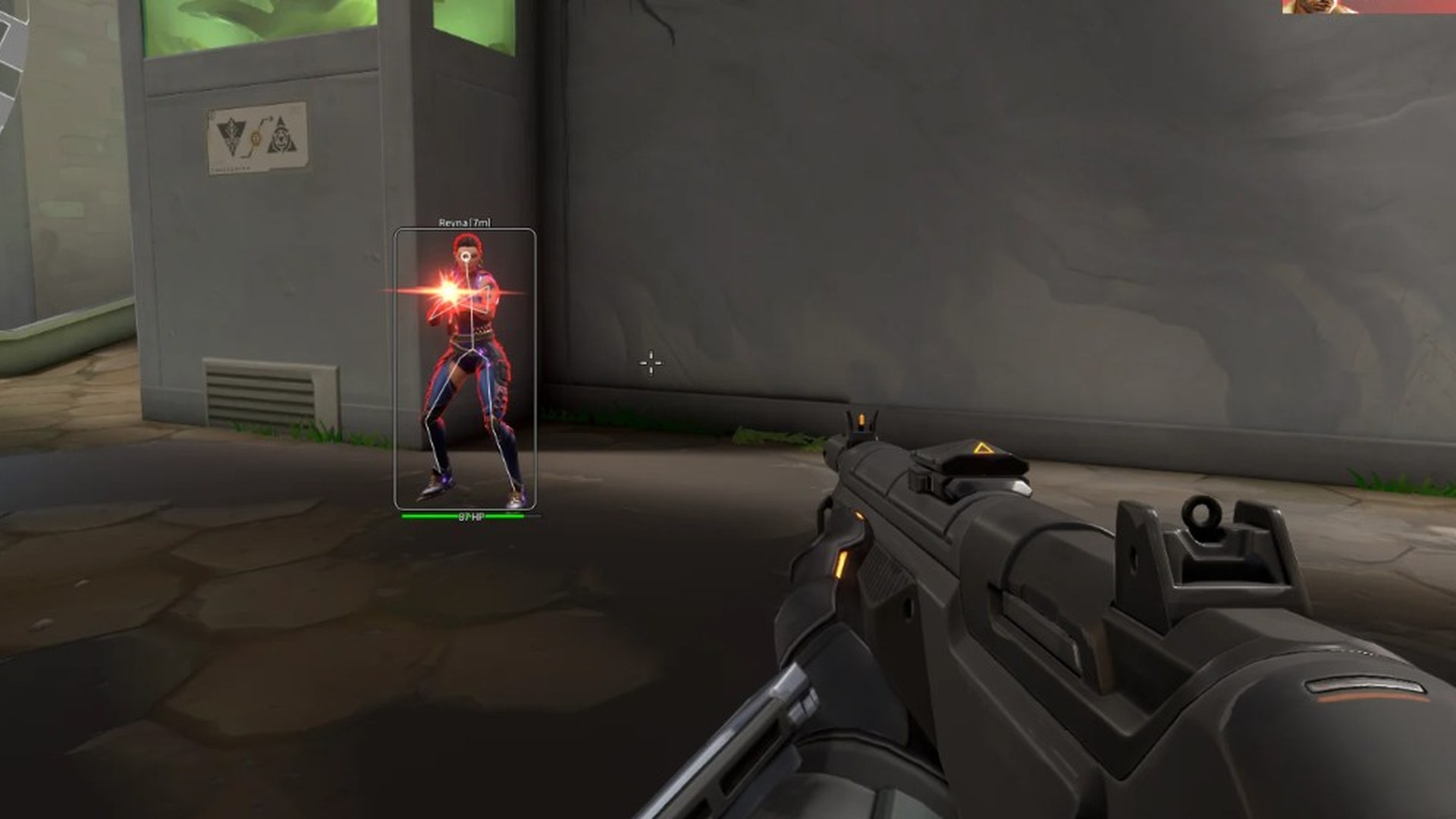
Combat assist
Configurable aim assistance for rifles, SMGs, shotguns, and snipers — tuned for Unrated, Competitive, and Spike Rush.
-
Line-of-sight visibility check
Only assists when the enemy is visible — reduces obvious snaps through walls, smokes, and ability cover.
-
Custom FOV arc
Set how wide the aimbot scans for enemy agents so close duels and long-range angles both feel natural.
-
FOV circle overlay
Optional on-screen ring showing the active aimbot radius for quick tuning in Spike Rush and Competitive.
-
Target snapline
Snapline from crosshair to the current lock — useful for verifying head priority before you peek.
-
Custom aim hotkey
Hold or toggle aimbot with a key you choose — works alongside controller bindings on Windows PC.
-
Hold & toggle aim modes
Switch between hold-to-aim, toggle, and always-on profiles per weapon class.
-
Aim smoothing slider
Control how fast the reticle moves to the target — higher smoothness looks more natural in ranked.
-
Enemy type filter
Prioritise closest agent, lowest health, or spike carriers so you take the right fight first.
-
Weak-point targeting
Bias locks toward head hitboxes on enemy agents for cleaner taps and sprays.
-
Per-weapon profiles
Save separate aim settings for rifles, shotguns, snipers, and pistols — swap mid-round without retuning.
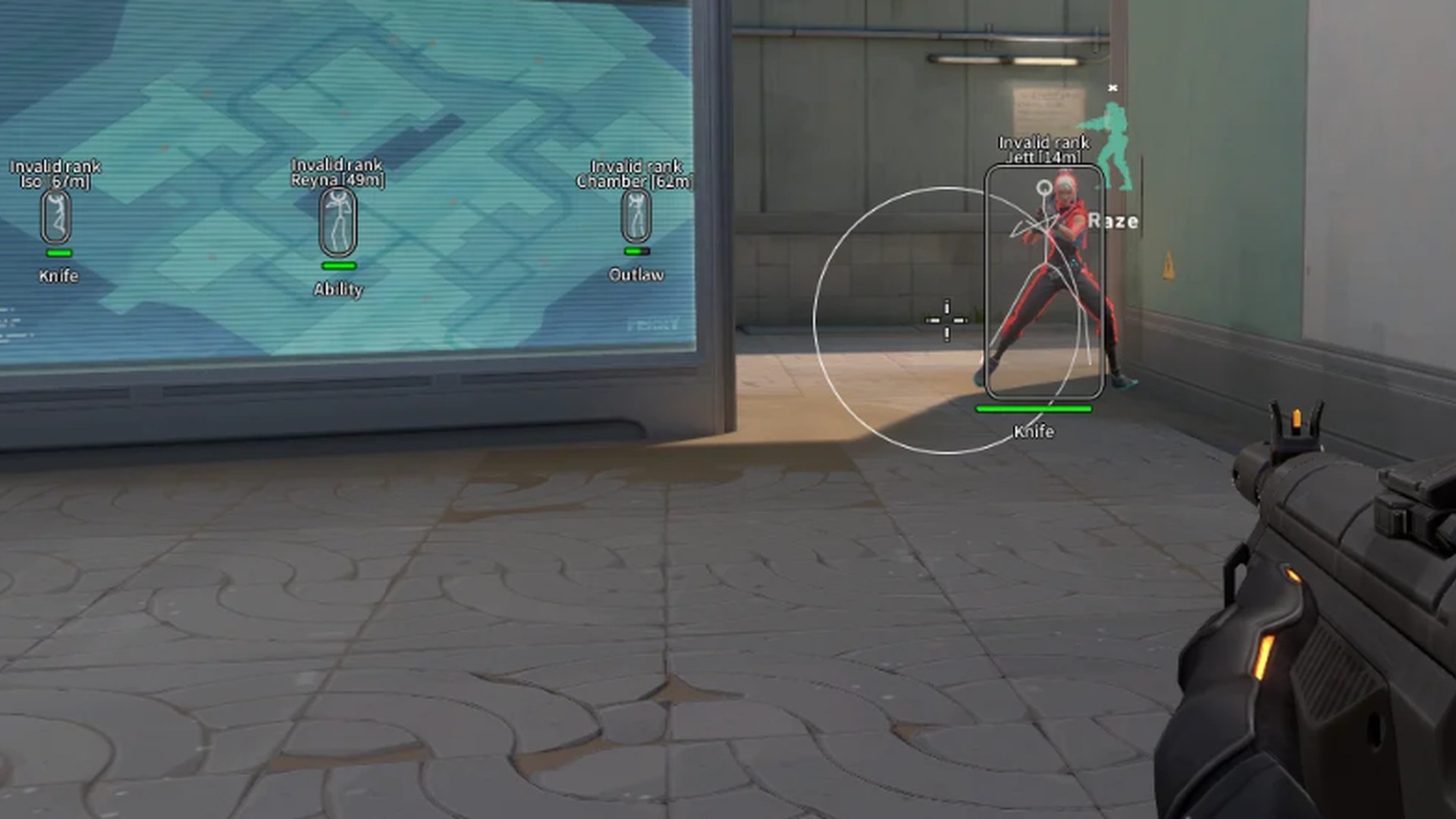
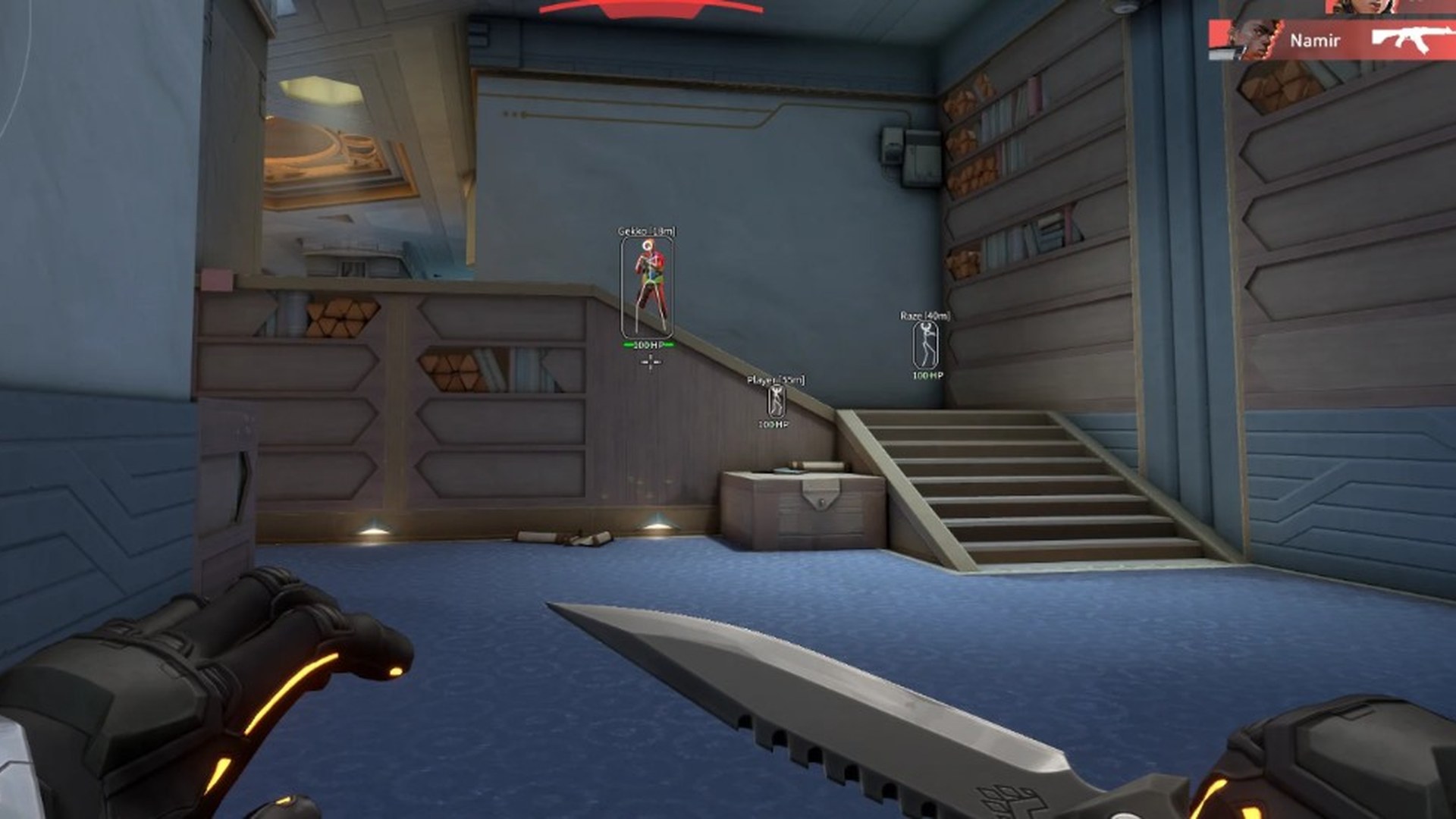
ESP & overlays
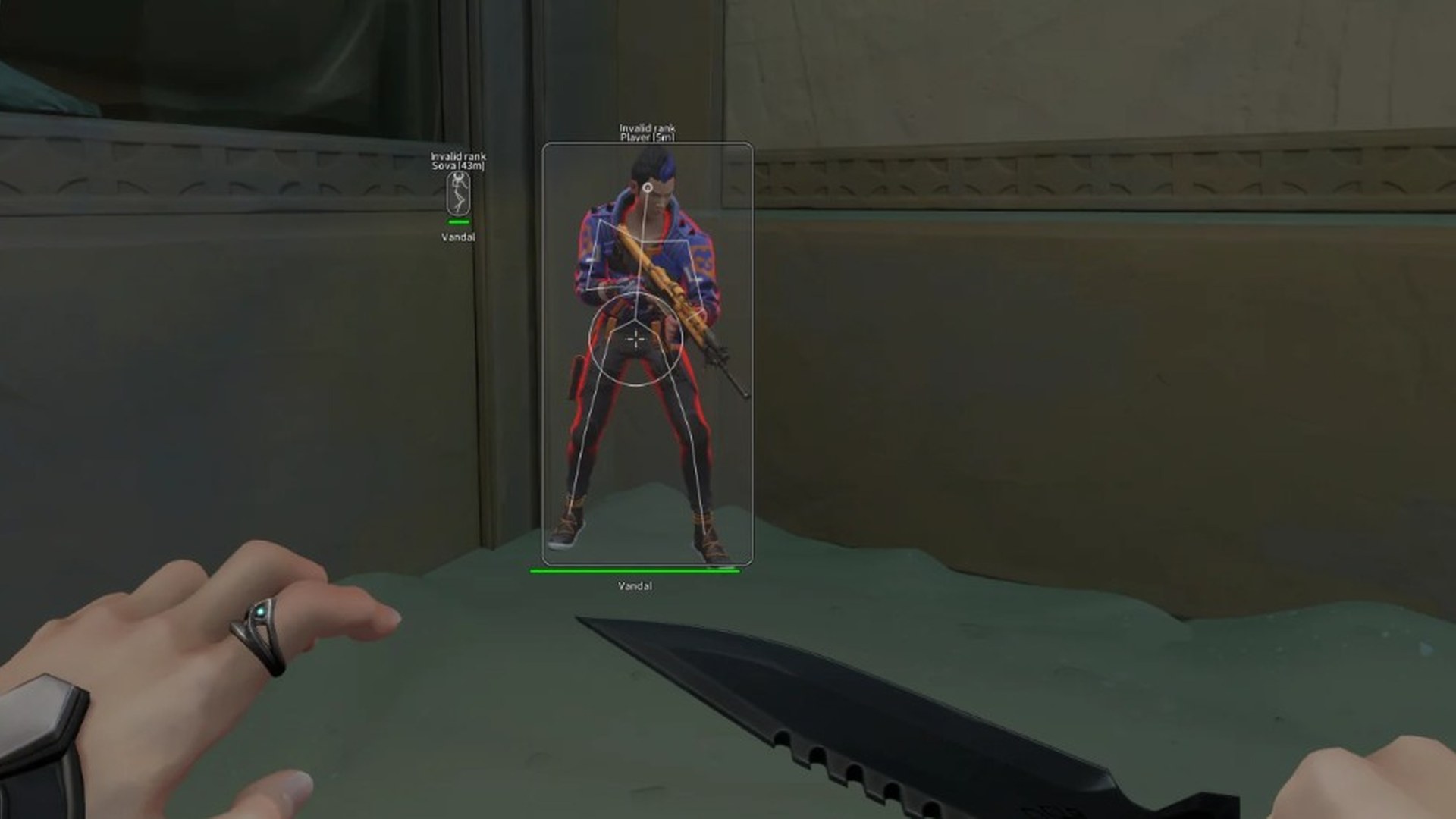
ESP and wallhack overlays that show agents, utility, and the spike through walls, smokes, and ability FX.
-
Attacker & defender agent ESP
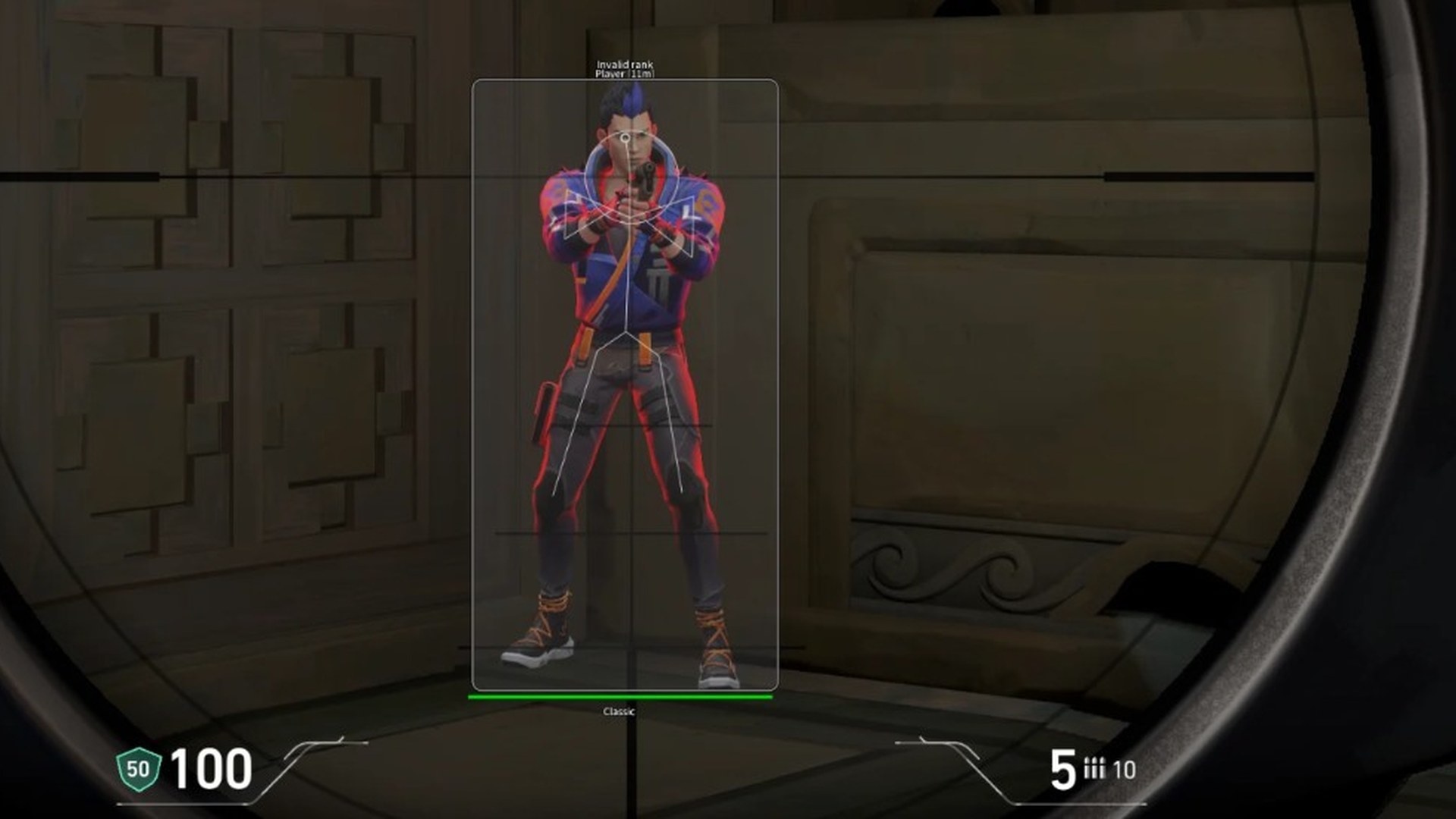
Highlights enemy agents with boxes, health bars, and distance readouts across every map.
-
Outlines through smokes and walls
Clean outlines on enemy agents through smoke, walls, and ability cover.
-
Enemy bounding boxes
Box ESP sized to each agent for precise reads before peeks and site executes.
-
Head-level markers
Mark head height so you pre-aim correctly when clearing corners.
-
Agent facing indicator
See which way an enemy is looking before you swing a choke or default.
-
Agent name labels
Display agent names above ESP boxes — know if you are fighting Jett, Cypher, or Chamber.
-
Distance readout
Meters-to-target on every box so you know when to swap weapons or hold utility.
-
ESP distance filter
Hide far-away clutter — keep overlays readable on Ascent, Bind, Haven, and other maps.
-
Spike & ability ESP
Mark the spike and key ability tools so you track plants, defuses, and traps.
-
Operator & sniper ESP
Dedicated styling for Operator and long-range threats holding angles across the map.
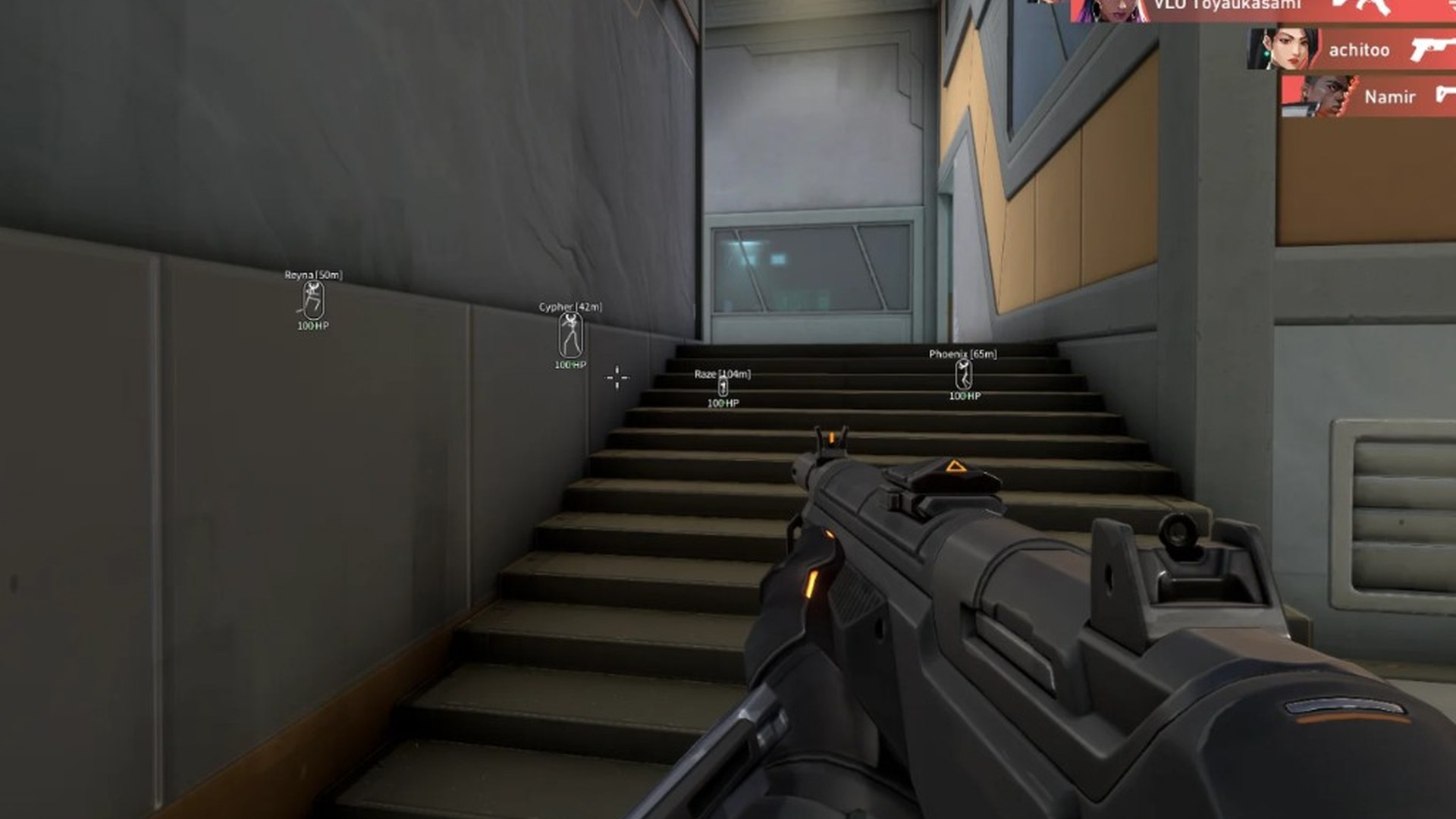
Radar & match tools
Radar, menu toggles, controller support, and quality-of-life tools bundled with every license.
-
2D off-screen radar
Minimap-style blips for enemies outside your camera — great for rotates, flanks, and retakes.
-
Site push direction cues
Directional hints when the enemy team stacks a site or starts a mid rotate.
-
In-match hotkey toggles
Flip ESP, radar, and aimbot on or off mid-round without alt-tabbing.
-
Hotkey profiles
Save different bind layouts for mouse/keyboard and controller loadouts.
-
Controller support
Aimbot and menu navigation tested with Xbox and PlayStation pads on Windows.
-
Patch maintenance status
Maintenance status published on Updates after Riot Games and Valorant patches.
-
In-game mod menu
Full in-game menu for colours, categories, and per-module enable/disable.
-
Utility & ability markers
Highlight traps, smokes, and utility so you avoid Cypher wires and Killjoy setups.
-
Ability cooldown tracking
Track key enemy ability windows during executes and post-plants.
-
Custom crosshair
Replace the default reticle with sizes and colours that match your ESP theme.
-
Team colour coding
Separate colours for teammates and enemies so overlays stay readable in 5v5.
-
Competitive & Spike Rush presets
One-click ESP and radar profiles tuned for Competitive pace and Spike Rush chaos.
In-game screenshots
Menu, ESP, aimbot, and radar from live Valorant sessions.
Common questions
Answers about Valorant Cheats features, gameplay fit, patch-day status, and where to get help.
General
What is included in Valorant Cheats?
Agent ESP, spike markers, radar, triggerbot, and configurable aimbot in one license. See Features, ESP, and Aimbot for control detail.
Does Valorant Cheats work on Windows PC?
Yes — CheatsForValorant is built for Valorant on Windows 10 and 11 with in-client toggles for ESP, radar, and aimbot.
How does Vanguard affect Valorant Cheats?
Riot Vanguard monitors Valorant on Windows PC. We publish maintenance notes after patches that may require a rebuild. Read Updates before you queue.